Aura
What it does

Shown running, not described.

Every screenshot below is the app itself. Where something has a limit worth knowing about, it is written next to it rather than left out.

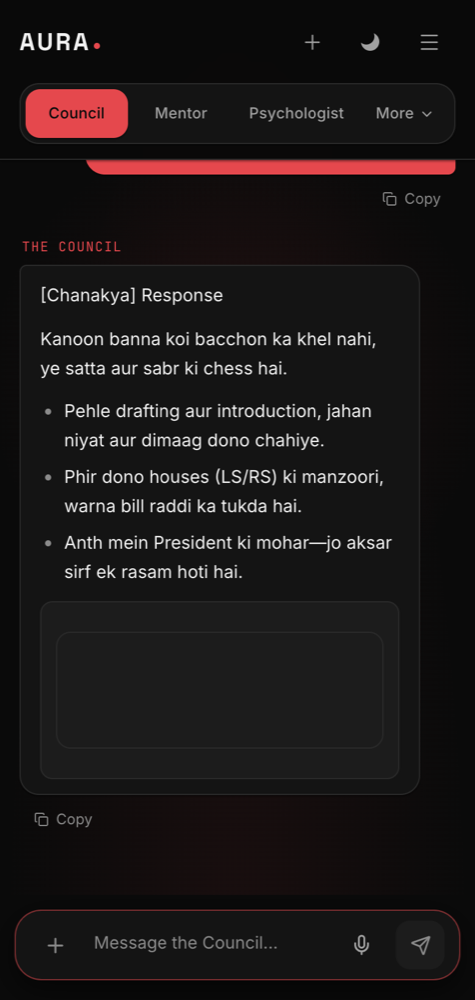
Send the thing itself.
The composer

Send the thing itself.

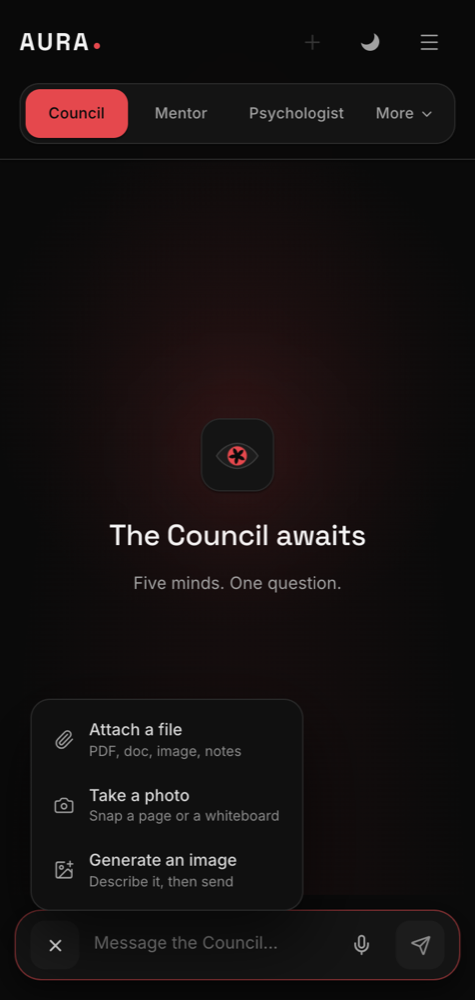
The plus button opens what you can attach: a document, a photograph from the camera, or a request for an image. Useful when a report, a form or a question sheet is faster shown than typed out.

  • PDFs and images up to 3 MB
  • The camera opens inside the app
  • Up to four attachments on one message
Ask for a flowchart, get a flowchart.
Diagrams

Ask for a flowchart, get a flowchart.

Processes, structures and timelines come back drawn rather than described. The diagram is rendered in the thread and scrolls sideways on its own if it is wider than the screen.

  • Flowcharts, sequences, timelines, mind maps
  • Rendered in the conversation, not linked out
  • Readable in both themes
Everything the thread can become.
The menu

Everything the thread can become.

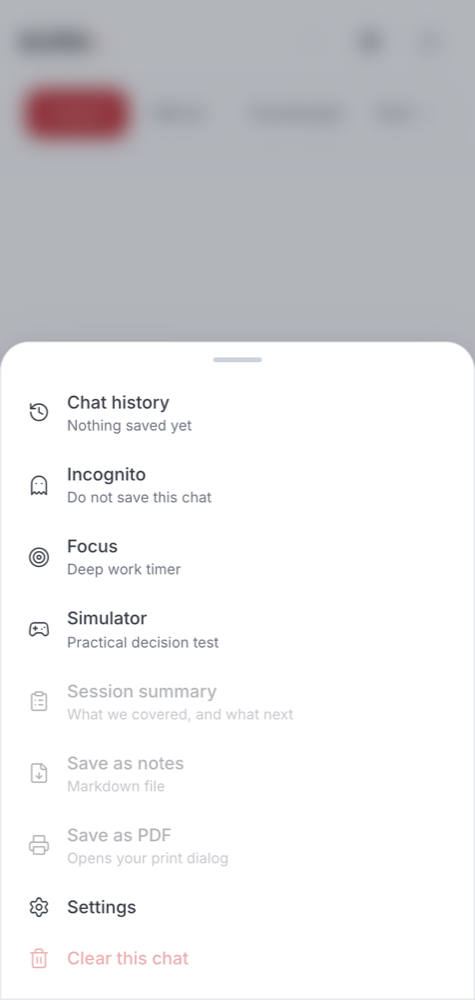
One sheet holds the things you do with a conversation rather than inside it: export it, summarise it, start a private one, or go back through what you have already asked.

  • Export as Markdown, or print to PDF
  • One-tap session summary
  • Incognito, history and settings
A report with the working shown.
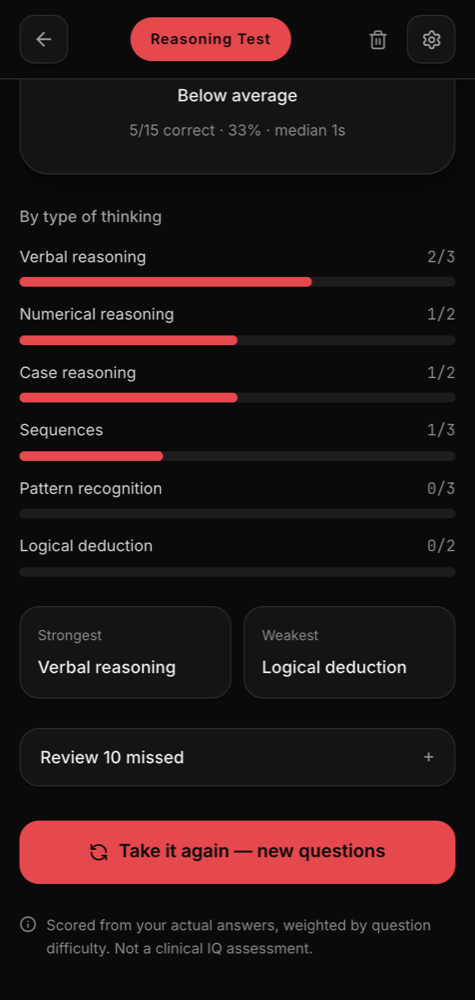
The reasoning test

A report with the working shown.

Fifteen questions produce a reasoning index, a breakdown by domain, and every question you missed with the reasoning spelled out. It appears the moment you finish, because nothing has to be asked of a model.

  • Six domains, scored separately
  • Strongest and weakest named
  • History across sittings, so you can see movement
One tap, and it stays on the phone.
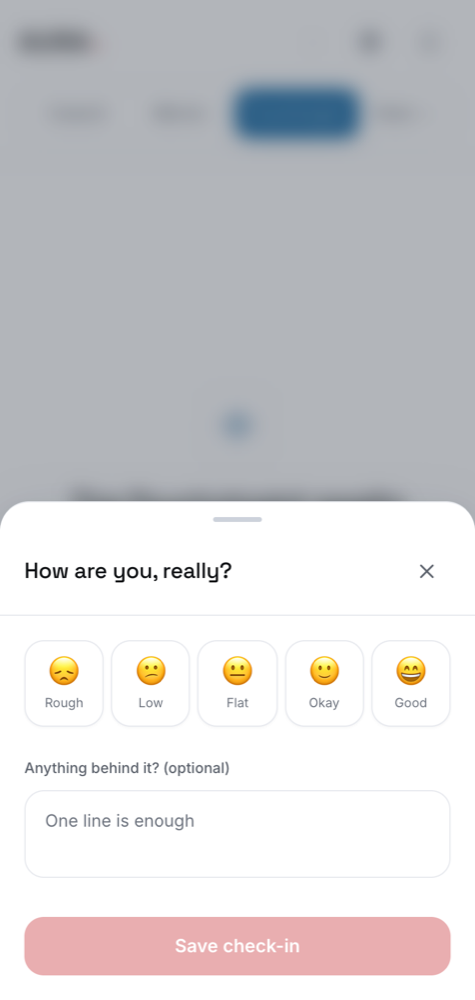
Mood check-in

One tap, and it stays on the phone.

A five-point scale and an optional line about why. Over a few weeks the small chart shows a pattern that is hard to see from inside a single bad day. Nothing here is ever uploaded.

  • Five levels, plus a note if you want one
  • Fourteen-day chart and a seven-day average
  • Written to the device only — no server copy
The room that keeps no record.
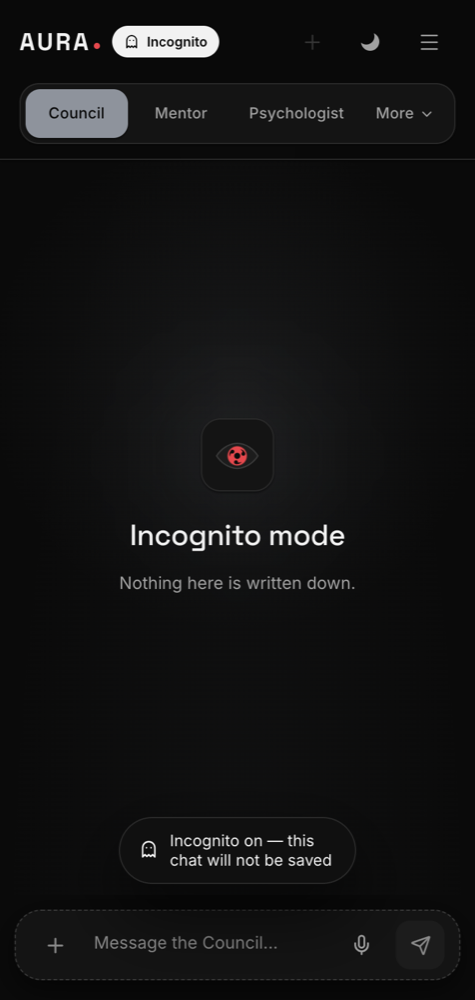
Incognito

The room that keeps no record.

The interface turns grey so you can see at a glance that nothing is being written down. No history entry, no summary, nothing synced. Close the chat and it is gone.

  • Visibly different, so you never lose track of it
  • Nothing written to history or the account
  • One tap back to normal
Four minutes before you reply.
Focus

Four minutes before you reply.

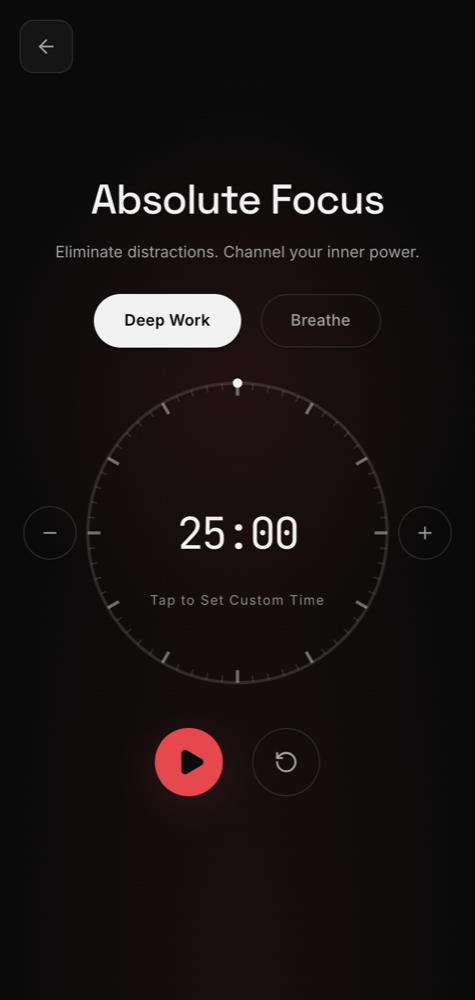
A breathing timer for the moment you should not answer something yet. The glow expands and contracts at the pace you are meant to breathe at, and there is nothing else on the screen.

  • Breathe, or a plain countdown
  • Full screen, nothing else competing
  • Runs on the compositor, so it stays smooth
Everything you asked, still there.
History

Everything you asked, still there.

Every thread kept and searchable, filtered by which room it happened in. Incognito conversations are the deliberate exception — those were never written down.

  • Search across every conversation
  • Filter by room
  • Rename or delete any thread
And the rest

Smaller things that matter daily.

Notes you can keep

Export a whole conversation as Markdown, or print it to PDF with headings and tables intact.

Session summary

One tap turns a long thread into what you covered, the takeaway, and the next step.

Tap to answer

When you are being quizzed the options render as buttons, so answering is a tap.

Light and dark

A real switch in the header, with both themes designed rather than one inverted.

Hindi, Hinglish, English

Write however you actually write; the reply comes back in the same register.

Voice input

Dictate instead of typing, in the same languages.

Haptics

Short, deliberate taps on send and on switching rooms — off in one setting.

App lock

PIN, passcode, pattern or fingerprint on the whole app, with auto-lock.

All of it, in one install.

Free, and nothing is held back for a paid tier.